Known Issues - Squish 9.2.2 Release
(Known Issues of previous version)
Release Date: April 21st, 2026
Recommended Update: n/a
Squish IDE
Multiline selection visually broken in the editor window on macOS Tahoe 26.x
Squish IDE is based on Eclipse which exhibits faulty selection behavior on macOS 26.x. Selecting characters with the cursor or using keyboard shortcuts is not working. The text isn't highlighted correctly. The selection itself is working, but visually there's no indication of what text is currently selected. Eclipse bug report: https://github.com/eclipse-platform/eclipse.platform.swt/issues/2621
Squish for Qt for WebAssembly
Squish for Qt WebAssembly (Qt 6.8.x) binary package is incompatible with Qt 6.8.8
The prebuilt Squish for Qt WebAssembly (Qt 6.8.x) binary package is incompatible with Qt 6.8.8, following changes introduced in the Qt 6.8 series (SQUISH-21684)
Workaround
Build the Squish for Qt WebAssembly binary package yourself using the embedded source package, following Installing Squish for Qt from Embedded Source Packages , against your Qt 6.8.8 installation. For example:
./configure --disable-all --disable-qt-hardcoded-path --disable-x11 --enable-qmake-config --enable-qt --with-qmake=<path_to_qmake>/qmake --with-squishidl=<path_to_squishidl>/squishidl
Glitch in the Squish IDE UI and a possible workaround
Squish IDE is based on Eclipse, and some of its UI components are rendered using SWT (Standard Widget Toolkit) controls. Sometimes GTK 3 styling conflicts with properties set on those SWT controls, which results in a glitch in the Squish IDE UI.
The issue is known to affect Linux-based distributions running GNOME or KDE on Wayland.
| Shows UI Glitch | Expected UI |
|---|---|
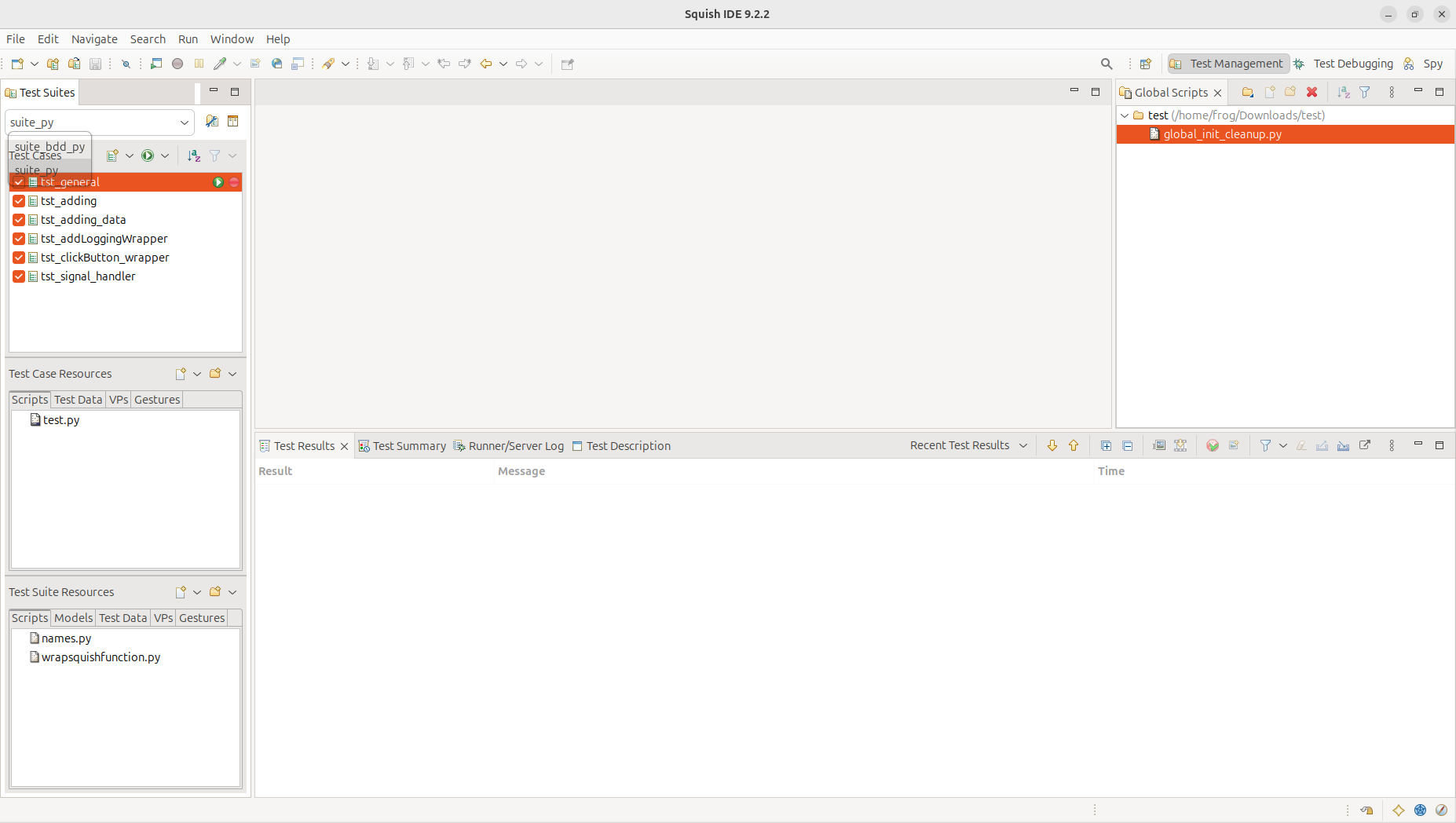 The glitch: the "Test Cases" panel header bleeds through the open suite dropdown. | 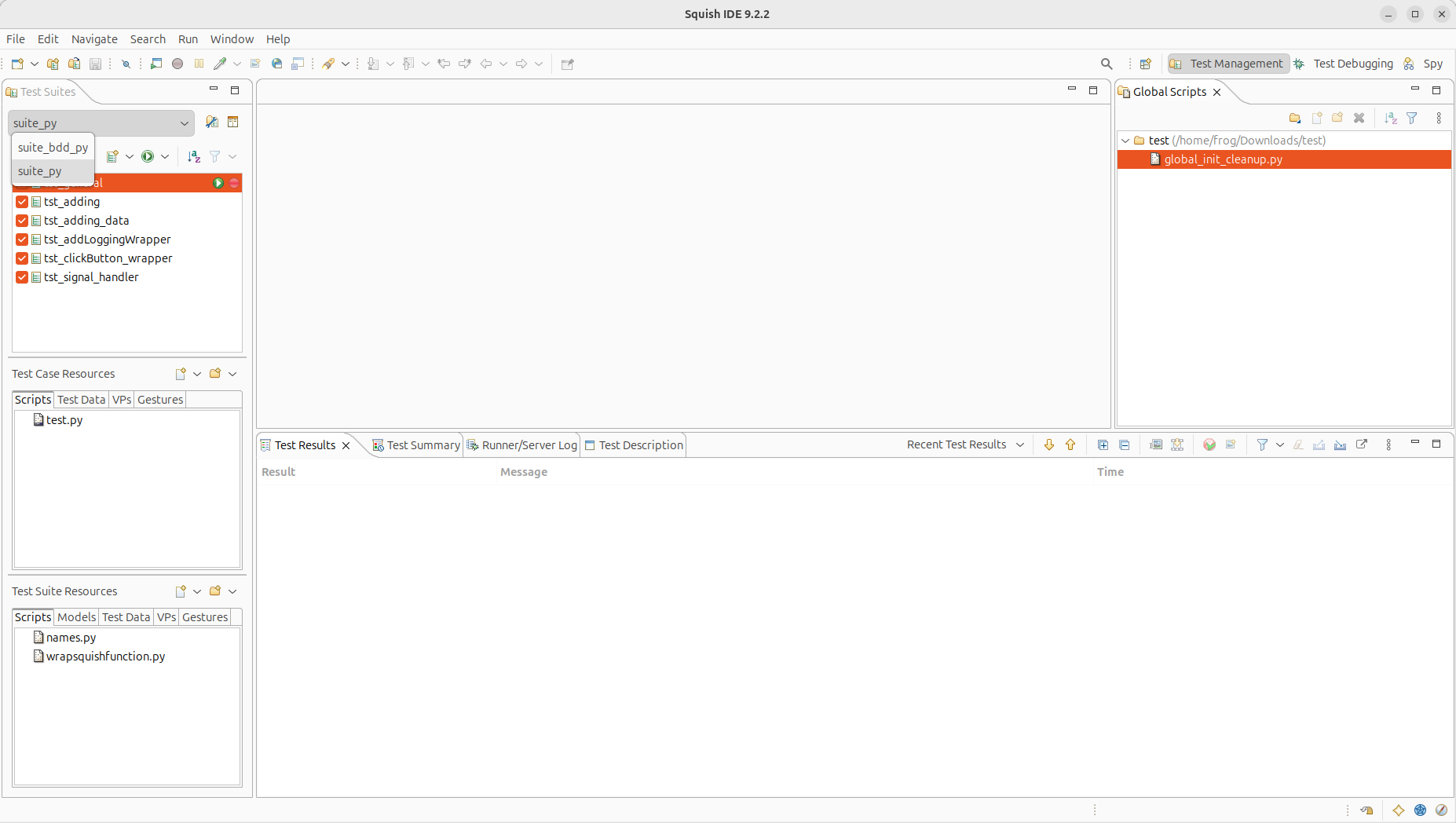 After the fix: the dropdown renders correctly. |
At this time, a possible workaround is to change the theme to Classic.
Changing the theme
The theme can be changed from the Squish IDE menu bar. Go to:
Edit → Preferences → General → Appearance → Theme
Select Classic, then click Apply and Close.
| Before Workaround — Light theme | After Workaround — Classic theme |
|---|---|
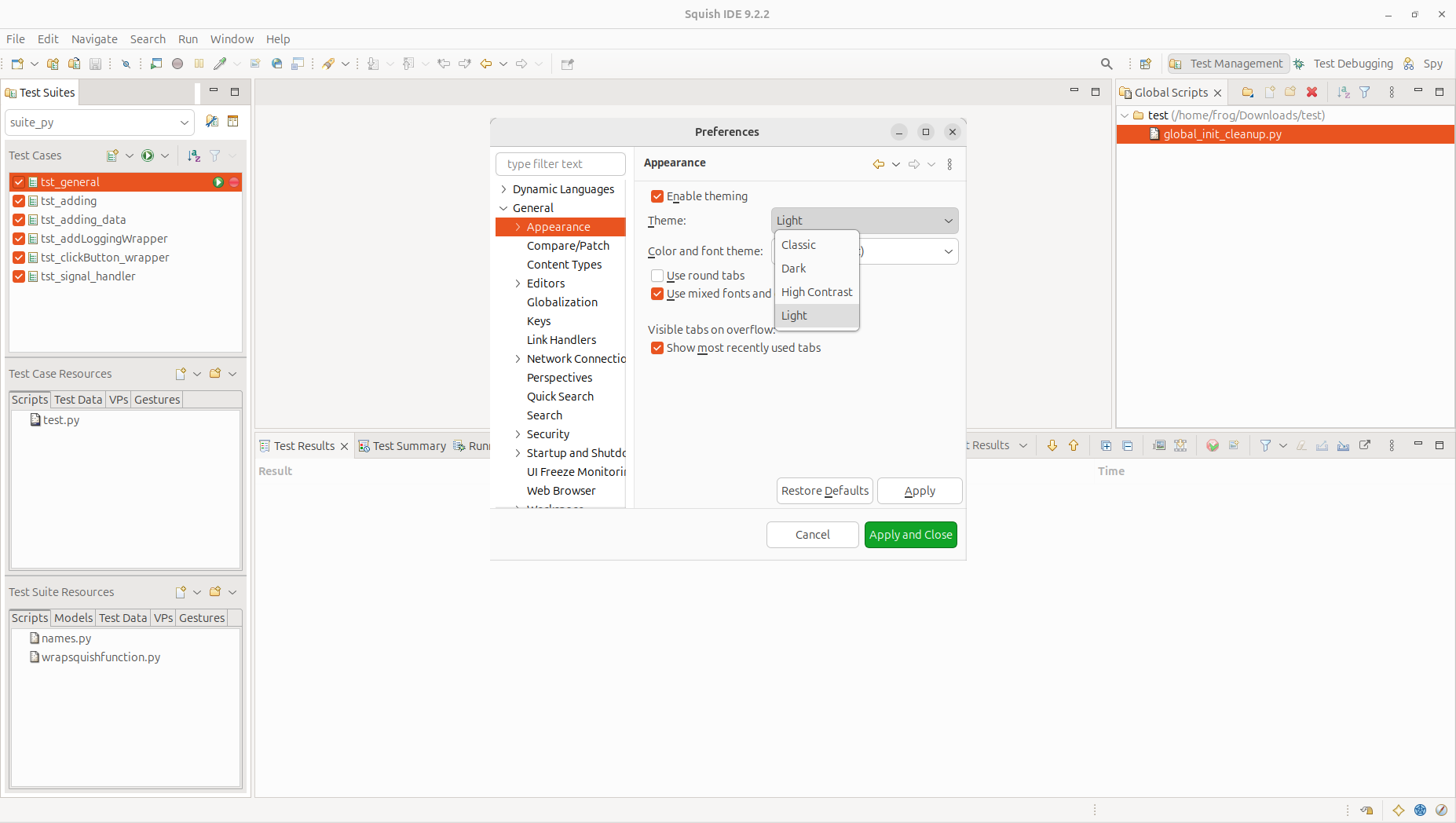 Preferences → Theme set to "Light". | 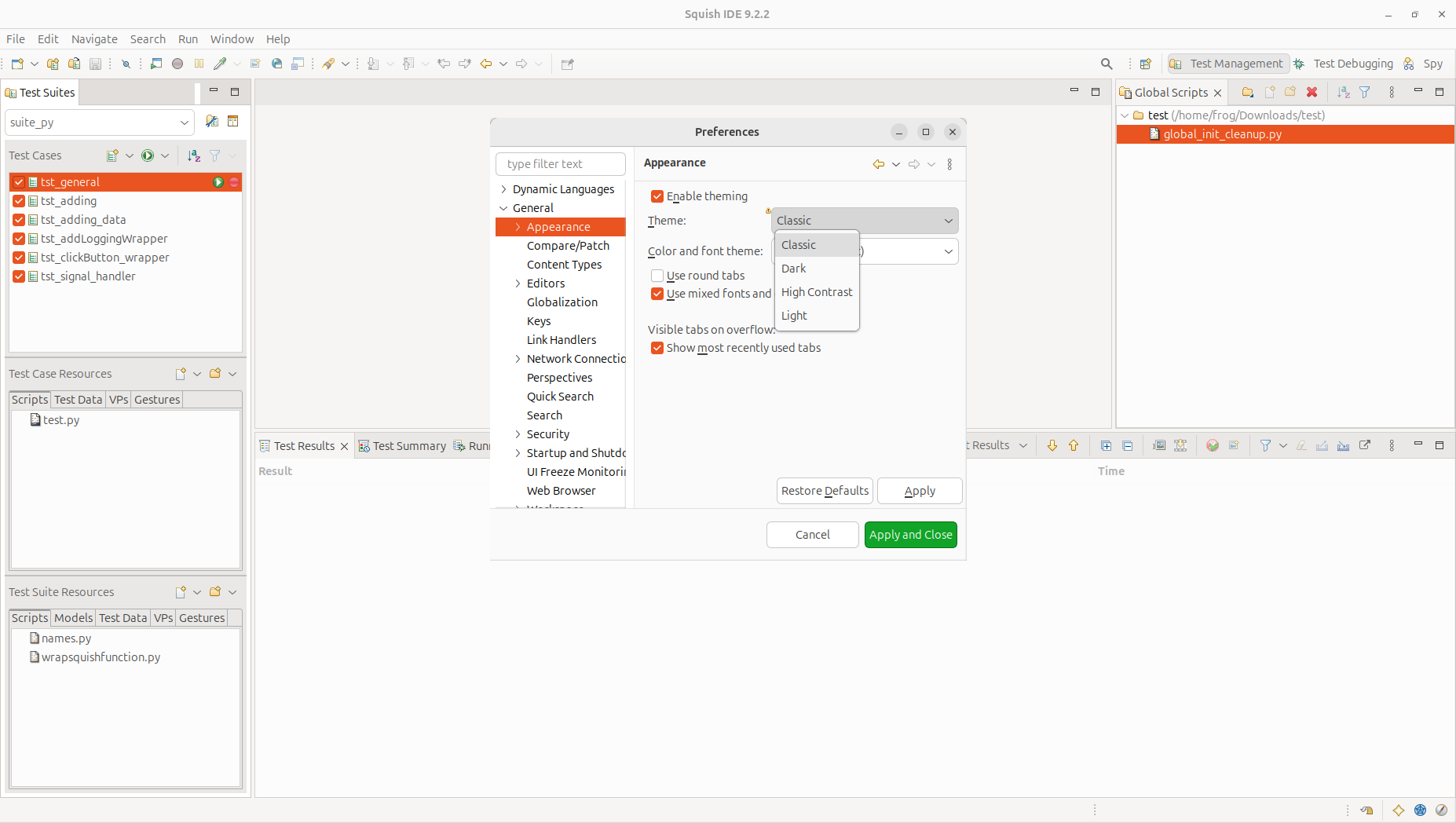 Preferences → Theme set to "Classic". |