Symptoms
- No
DOCUMENTobject entry appears in theApplication Objectsview in the Squish IDE:
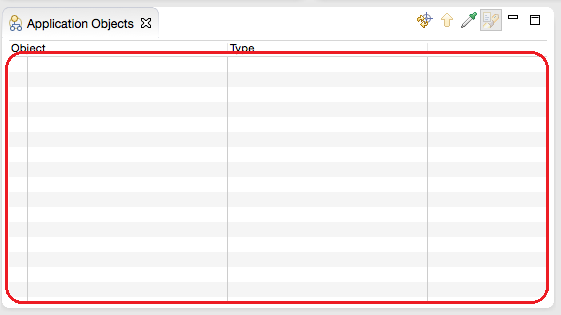
Picking objects on the page in Safari is not possible, objects are not being highlighted while hovering the mouse cursor over them.
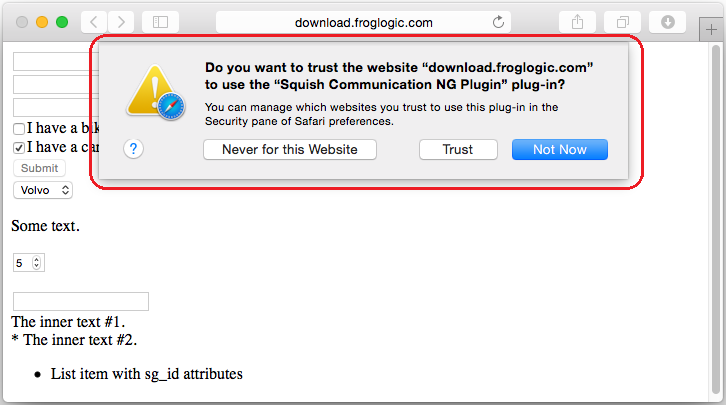
A popup may appear which ask
Do you want to trust the website "..." to use the "Squish Communication NG Plugin" plug-in?:
Resolution
Step 1:
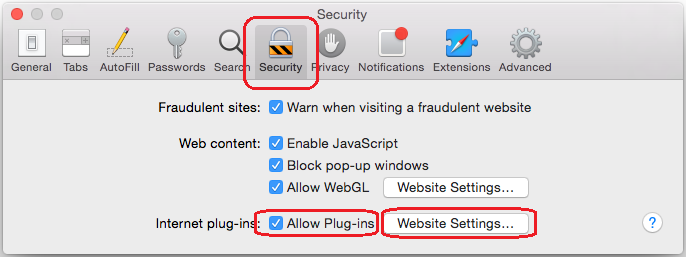
To allow the Squish Safari plug-in to access some or all websites go to the Safari preferences and click on the the Security tab:
Step 2:
Here all Internet plug-ins can be enabled/disabled here. Allow Plug-ins should be checked to allow the Squish Safari plug-in to be enabled at all.
Step 3:
Next, click on Website Settings... to configure the individual plug-in website access:
Step 4:
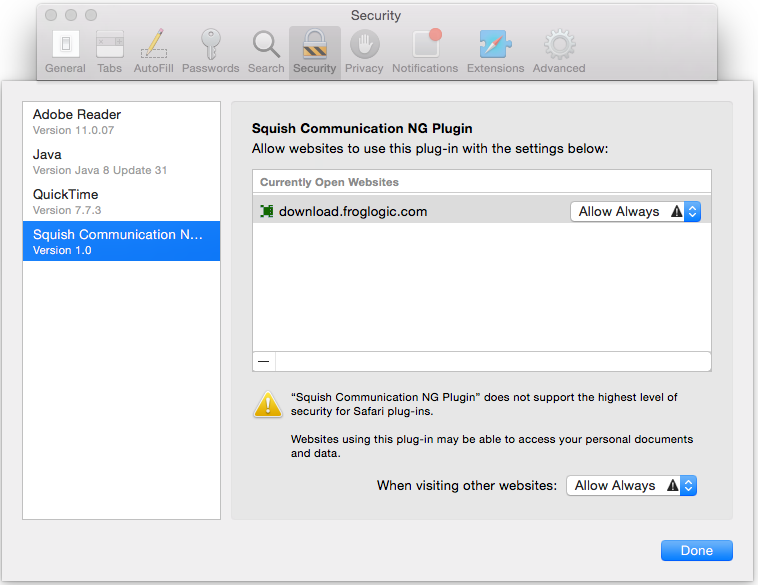
Select the Squish Communication NG Plugin entry on the left to see the list of websites configured for it.
Step 5:
Adjust the list and the individual access as you required, or simply empty the list and select Allow Always for When visiting other websites:.